
opens HTML elements in a lightbox, making them invisible beforehand, it is also possible to embed dynamic content into HTML
view example videoHTML element from DOM
settings
| dom_html_element | opens html element in lightbox (does not copy javascript events) |
| variables | replaces variables in HTML code ( %1%, %example% ), two constructions can be used: object allows you to use static variables : { var_1 : ‘name’, var_2 : ‘age’ } function allows you to use dynamic variables : function(){ return { var_1 : jQuery(‘input’).val() } } |
| html element attribute [data-gol-content] | hides an html element on the page |
code
<form class="example-form-wrapp">
    <label>
        Your name*
        <input type="text" name="example_your_name" value="">
    </label>
    <label>
        Your age*
        <input type="number" name="example_your_age" value="">
    </label>
    <label>
        Your description*
        <textarea name="example_your_description"></textarea>
    </label>
    <!-- trigger button start -->
    <button class="open-example-lightbox" data-color="#000000">
        open example text color black
    </button>
    <button class="open-example-lightbox" data-color="Brown">
        open example text color Brown
    </button>
    <button class="open-example-lightbox" data-color="#6495ED">
        open example text color cornflower blue
    </button>
    <!-- trigger button end -->
</form>
HTML content to be displayed in lightbox
<div class="html-content-example-box" data-gol-content>
    <div style="color:%color%">
        <p> Your name: %1% </p>
        <p> Your age: %2% </p>
        <p> Your age: %2% </p>
    </div>
</div>
jQuery('.open-example-lightbox').GreyOwlLightbox({
dom_html_element : 'html-content-example-box',
title : 'Example form title',
width : 600,
height : 400,
first_title : true,
variables : function(){
return {
1 : jQuery('[name="example_your_name"]').val(),
2 : jQuery('[name="example_your_age"]').val(),
var_desc : jQuery('[name="example_your_description"]').val(),
color : jQuery(this).attr('data-color'),
}
}
});example:
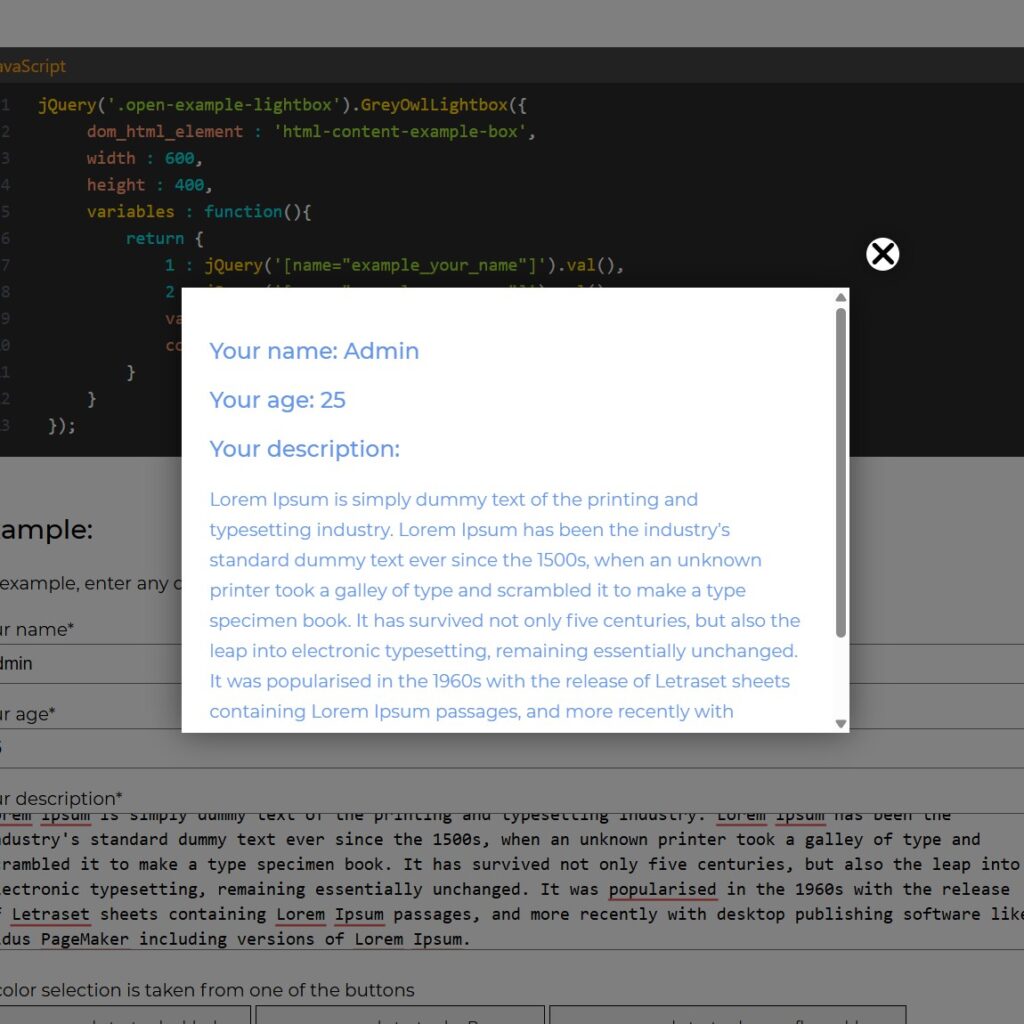
for example, enter any data and see how it will be displayed in the lightbox
this form returns your values
Your form data
Your name: %1%
Your age: %2%
Your description:
%var_desc%
Open Contact Form 7
Open regular text
lightbox title
Lorem Ipsum is simply dummy text of the printing and typesetting industry. Lorem Ipsum has been the industry’s standard dummy text ever since the 1500s, when an unknown printer took a galley of type and scrambled it to make a type specimen book.